“Registro Civil” is a public service in Brazil, where citizens can request a copy of a birth, marriage, and death certificates from registry offices across the country.
If the citizen don’t know which registry office issued the certificate or can’t remember the exact registration date, they can use the “Buscar certidão” (Search for Certificate) feature to locate it.
I was responsible for the UX and strategic redesign of the feature of the product, focusing on optimizing existing experiences, improving usability and refining UX writing to make interactions clearer, more intuitive, and effective for users.
This case study details the redesign of a certificate lookup feature that suffered from low discoverability and user confusion. Through improvements in naming, placement, and contextual messaging, the intervention eliminated support tickets related to the feature and enabled users to intuitively recognize when and how to search for an existing certificate.
Users struggled to locate certain service on the Registro Civil platform. Many didn’t know it was possible to search for their existing certificate before submitting a new request. The feature exists, but it was poorly placed and labeled “Localizar certidão” (Locate certificate), which made it difficult to understand. Even the client expressed dissatisfaction with its presentation.
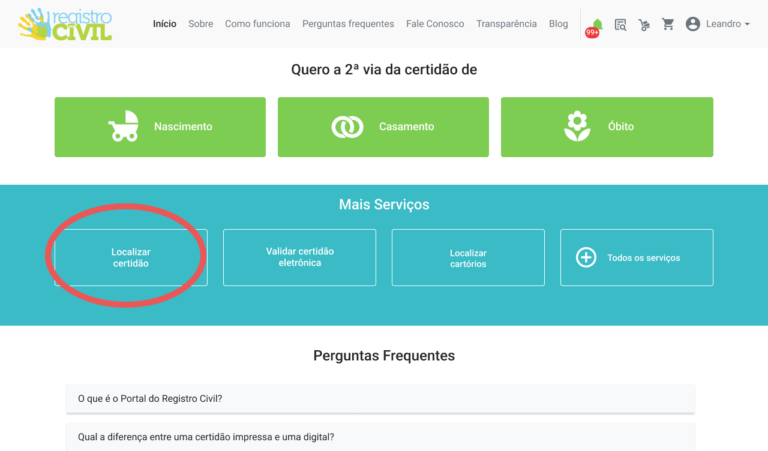
Increase the discoverability of the certificate lookup feature, making it easier for users to recognize that they can find an existing certificate before submitting a new request.
The first step was trying to understand the problem better.
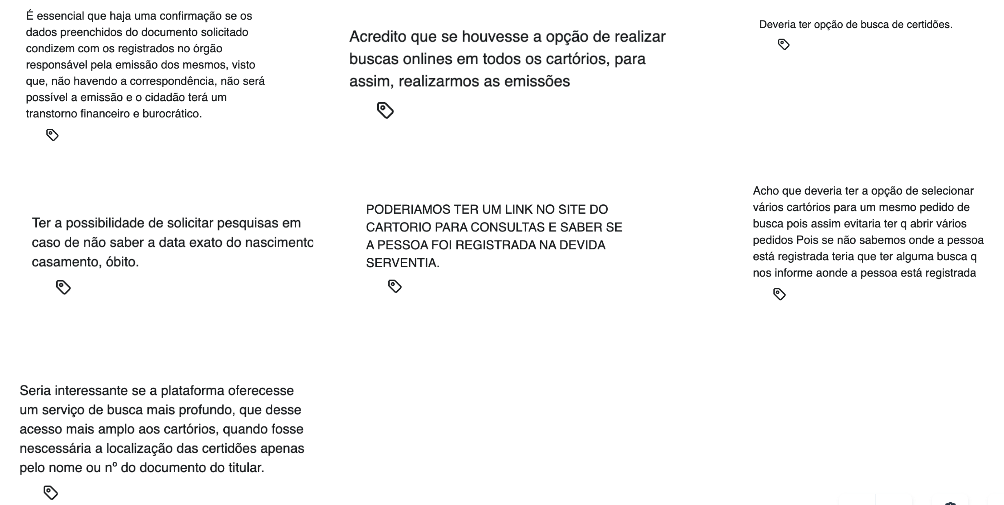
Through Hotjar analysis, I discovered that many users were unaware of the existing “Locate Certificate” feature and even suggested implementing it. I also noticed that many users used the word “buscar” (to search) instead of “localizar” (locate), indicating that the applied terminology was not aligned with users’ mental models.
I analyzed some of our competitors to understand where their certificate search services were located within the interface and which terms they used. Most of them also chose the term most familiar to users: “buscar” (to search).
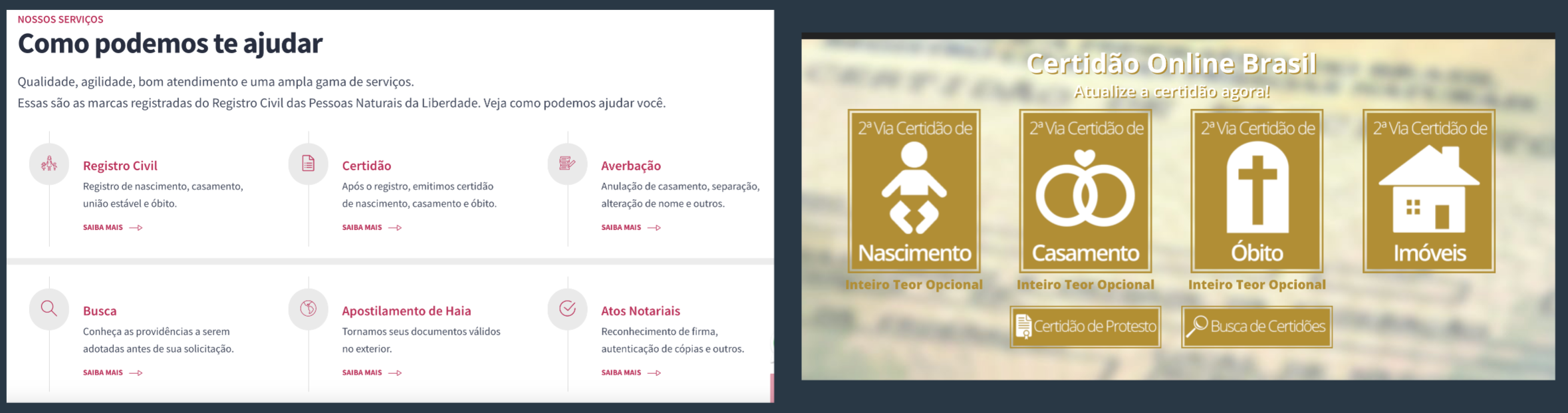
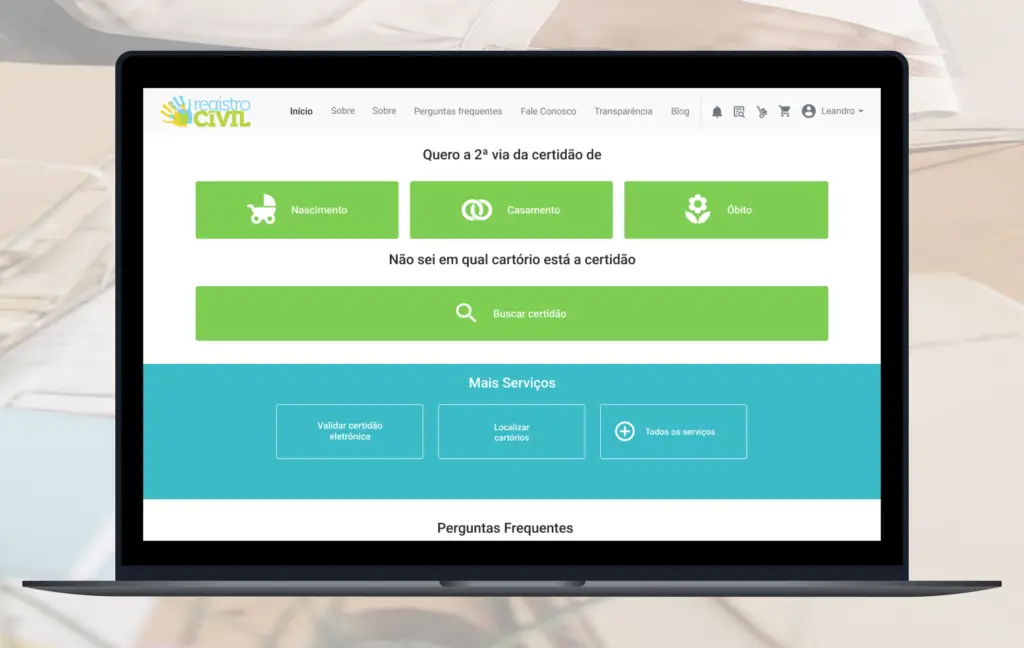
Both competitors made the certificate lookup feature highly visible and placed it close to the certificate request flow.
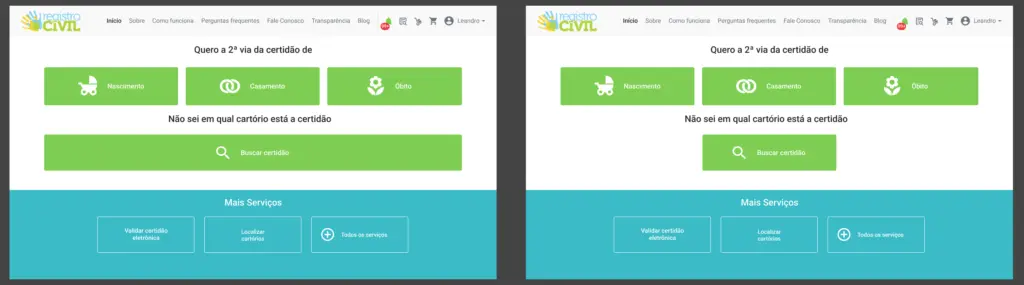
The button needed to be relocated and renamed to “Buscar certidão” (Search certificate) to make its purpose clearer. I also explored ways to strengthen its visual hierarchy so the feature would stand out and help users discover it more easily.
After gathering these insights, I explored different design directions to address the issue. I worked with the Product Manager and developers throughout the process, using their technical input and product knowledge to refine my ideas.


Based on this collaboration, I made the final design decisions and selected two directions to present to the client for feedback.
After this, we also identified an opportunity to add a link to the certificate search feature within the replacement certificate request flow. This would help users verify their certificate information without needing to navigate back to the homepage.
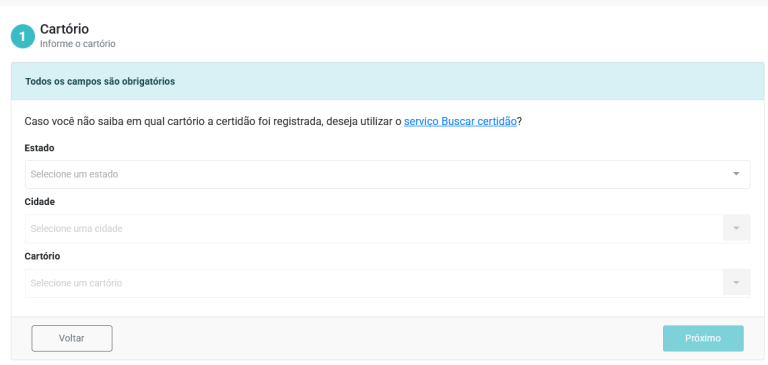
To make this option more visible and intuitive, I added the phrase “I don’t know which registry office issued the certificate” followed by a link to the “Search Certificate” service.
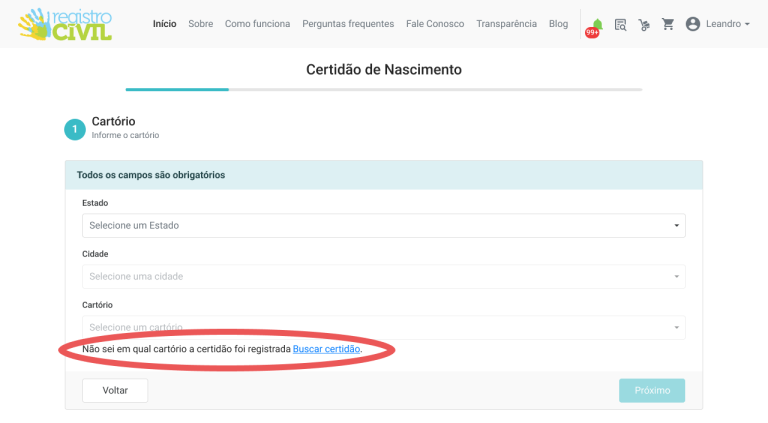
I presented two possible design solutions to the client, who approved one of them. The client also approved adding a link on the replacement certificate request screen, as part of the user flow.
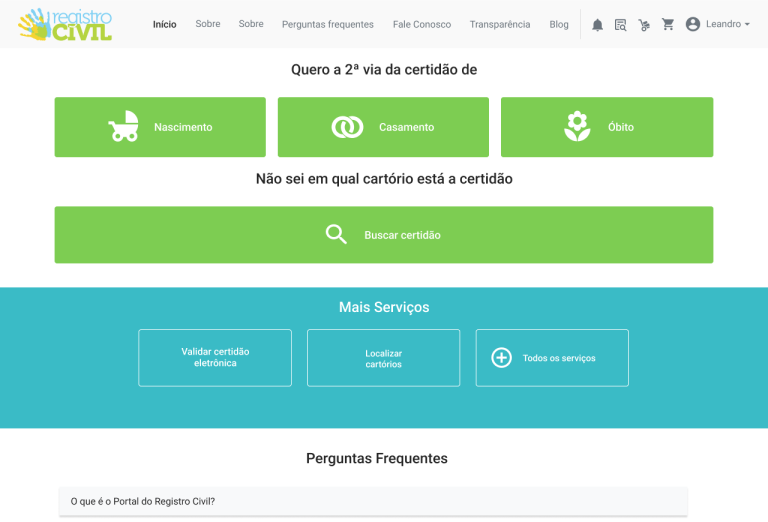
There was no user testing phase for this iteration, so the approved design was implemented directly. After the release, I monitored user behavior through Hotjar to evaluate its impact. The change to the homepage was successful, with users engaging more frequently with the “Search Certificate” feature.
However, the support team reported that some users were still confused about when to use the search during the replacement certificate flow.
Based on this feedback, I refined the microcopy to: “If you don’t know which registry office issued the certificate, would you like to use the Search Certificate service?” and added a direct link to the service. I also adjusted its placement to make the option easier to recognize at the right point in the journey.
Following this adjustment, the support team recorded zero further reports of confusion regarding the “Search Certificate” feature. This indicated that the clearer messaging and contextual placement helped users better understand the purpose of the feature and when to use it.